

What matters more in AI visual effects, speed or control? For creators testing visual concepts, our AI photo editing prompts can help structure the creative direction before you move into video, but the right VFX platform depends on how much of the shot you need to generate, track, or composite.
The current market covers several distinct workflows. Some tools generate complete effects shots from footage and prompts, while others focus on transitions, face tracking, scene extensions, or professional compositing. The most practical choice is therefore not always the tool with the largest effects library. It is the platform that matches your footage, level of control, production scale, budget model, and final delivery requirements.
Which AI visual effects tool is right for you?
Choose Runway when you need flexible generative VFX for previs, live-action changes, or production experiments. Choose invideo when you want an agent-directed workflow that can develop several shots around the same project context. Adobe After Effects is better for detailed professional compositing, while Luma AI, Higgsfield, and VibeEffect are more suitable for fast creator work, social content, and promotional effects.
Before deciding, compare the editing surface as carefully as the effect library. A prompt-first tool may be faster for a concept, but a timeline and compositing environment provide more control over masks, layers, timing, and final integration. If your project begins with still photography rather than video, our AI photo editor for photographers may be a more direct starting point.
| Rank | Tool | Best for | Key differentiator |
|---|---|---|---|
| 1 | Runway | Generative VFX and production workflows | Combines prompt-driven effects, references, cleanup, and workflow chaining |
| 2 | invideo | Directed sequence-level VFX | Uses project context and agent assistance to build shots around existing footage |
| 3 | Adobe After Effects | Professional compositing and finishing | Provides detailed timeline, masking, tracking, 3D, and effects control |
| 4 | Luma AI | Scene-aware cinematic effects | Targets fire, weather, particles, energy, and other effects that follow scene context |
| 5 | Higgsfield | Fast stylized creator effects | Offers a broad collection of one-click transformations and transitions |
| 6 | VibeEffect | Browser-based social effects | Turns natural-language directions into captions, tracking effects, and overlays |
Pricing is difficult to compare directly because these tools use different commercial models. Depending on the platform, you may encounter subscriptions, credits, plan-based model access, export restrictions, or separate limits for generation and editing. Test a representative shot before committing, and check whether the quoted plan covers your required resolution, duration, format, and commercial use.
1. Runway

Best for: Runway is a strong choice for creators, filmmakers, and production teams that need flexible generative VFX, rapid previs, or AI-assisted changes to live-action footage.
Its main advantage is breadth. You can use references and prompts to develop new effects shots, extend environments, alter objects, replace backgrounds, or explore visual directions before committing to a conventional production route. Runway also supports workflows that connect several AI tasks, which can reduce the need to move repeatedly between separate generation and cleanup tools.
Runway is particularly useful when the desired effect does not yet exist in the footage. A locked-off plate can become a starting point for a transformed environment, an altered object, or a new atmospheric event. More advanced shots may still require masking, color correction, noise treatment, and final compositing, especially when the generated material must blend precisely with live action.
Pros:
- Supports prompt-driven generative effects and reference-based workflows.
- Useful for previs, shot development, object changes, background replacement, and cleanup.
- Can support reusable workflows that connect multiple creative steps.
- Fits both exploratory creator work and more structured production experiments.
Cons:
- Generated shots may still need human compositing and finishing.
- It is not a complete replacement for a professional timeline and finishing environment.
- Credit use, model access, and output limits depend on the selected plan and task.
2. invideo

Best for: invideo is suited to creators and small production teams that want to direct complete VFX shots through natural-language instructions rather than manage every technical step manually.
The platform is designed around an agent-directed approach. You can describe a set extension, a replacement sky, a storm, a flood, a creature, or a destruction event, then provide footage and references for the system to use. Its project context is intended to help maintain a shared world across several shots, which is useful when the same location, character, or visual style must continue through a sequence.
invideo also covers adjacent tasks such as object removal, AI rotoscoping, relighting, de-aging, face replacement, and motion tracking. This broad scope makes it attractive for solo filmmakers and creative teams that want one guided environment rather than a collection of specialist applications.
The trade-off is granular control. An agent can reduce setup work and help select an appropriate model, but it may not expose the same frame-level decisions as a dedicated compositing workflow. Review each shot carefully, especially when continuity, likeness, lighting, or precise timing matters.
Pros:
- Builds VFX around existing footage, scripts, shot lists, and references.
- Supports set extensions, weather, fire, smoke, water, creatures, and destruction.
- Maintains project context across related generations and sequences.
- Can route different tasks to different models within one broader workflow.
Cons:
- Agent-directed workflows may provide less low-level control than manual compositing.
- Model access, output quality, and generation allowances vary by plan.
- Complex finishing may still require a dedicated editor or compositor.
3. Adobe After Effects

Best for: Adobe After Effects is the strongest fit for professionals who need detailed compositing, motion graphics, tracking, masking, 3D elements, and precise finishing control.
Unlike prompt-first platforms, After Effects gives you a mature layer-based environment. You can build a shot from multiple elements, adjust timing frame by frame, refine masks, track movement, manage 3D space, and combine generated assets with practical footage. This makes it a better choice when the result must follow a specific art direction rather than simply produce an attractive variation.
Its AI features support selected parts of the workflow rather than replacing the entire pipeline. Object removal, masking, object matte creation, content-aware tools, and natural-language assistance can reduce repetitive work. The current product direction also connects After Effects with generative media workflows, allowing creators to bring generated visual elements into a professional composition.
After Effects uses a subscription model rather than a simple per-generation credit workflow. That can be more predictable for frequent professional use, but it also brings a steeper learning curve and greater hardware and workflow demands. If you need an easy browser experience for a short social clip, another platform may be faster.
Pros:
- Provides deep control over layers, masks, timing, effects, and compositing.
- Supports motion tracking, 3D workflows, object removal, and visual effects finishing.
- Fits established professional production pipelines and handoff processes.
- Allows AI-generated assets to be refined inside a broader creative environment.
Cons:
- Requires more technical knowledge than browser-first AI tools.
- Manual review and adjustment remain necessary for demanding shots.
- Its subscription structure may be less attractive for occasional users.
4. Luma AI

Best for: Luma AI is a practical option for creators and marketers who want cinematic effects that respond to the movement, lighting, and structure of a video scene.
The platform focuses on common high-impact effects such as fire, explosions, lightning, smoke, fog, rain, particles, energy bursts, and futuristic elements. Its central value is scene-aware effects. Instead of treating an effect as a flat overlay, the workflow aims to account for camera motion, object placement, lighting direction, and the surrounding environment.
This makes Luma AI useful for short films, product reveals, social videos, trailers, music videos, and promotional content. It can help a simple clip feel more cinematic without requiring a full simulation and compositing pipeline.
Luma AI is less clearly positioned as a complete professional post-production environment. If you need intricate keyframes, complex multi-layer compositions, detailed mattes, or exact frame-by-frame control, you may need to finish the result elsewhere. Confirm the current duration, resolution, export, and usage terms before building a larger project around it.
Pros:
- Targets cinematic effects that blend with movement and environmental context.
- Supports fire, explosions, lightning, smoke, fog, rain, particles, and sci-fi effects.
- Useful for marketing videos, social content, short films, and product reveals.
- Reduces the technical barrier for rapid visual experimentation.
Cons:
- It is not positioned as a complete replacement for professional compositing software.
- Precise control over long or highly complex sequences may be limited.
- Current output limits and commercial terms should be checked before purchase.
5. Higgsfield
Best for: Higgsfield is designed for creators who want fast, stylized, and recognizable effects for social media, short-form video, advertising concepts, and visual experiments.
Its effects library emphasizes speed and variety. The available styles include explosions, transformations, transitions, face effects, environmental events, object changes, camera movements, and surreal treatments. The one-click structure is useful when you already know the visual direction and want to produce a polished variation without building the effect manually.
Higgsfield can be particularly effective for attention-led content. A creator can turn a basic clip into a more dramatic transformation, create a strong opening moment, or test several visual treatments for a campaign. Its strength is not necessarily the construction of a technically complex shot from first principles. It is the ability to explore many recognizable effects quickly.
For professional work, review consistency across frames and shots rather than judging only a single preview. Preset-driven effects can be useful for rapid iteration, but projects requiring precise object interaction, controlled continuity, or detailed compositing may need another tool in the stack.
Pros:
- Offers a broad collection of fast, stylized effects and transitions.
- Useful for short-form videos, social campaigns, and visual experimentation.
- Reduces the need for manual effect construction in common scenarios.
- Supports a wide range of cinematic, surreal, and transformation-based ideas.
Cons:
- Preset-oriented workflows may offer less control than professional compositing tools.
- Some effects may be better suited to short clips than long narrative sequences.
- Credit, export, and resolution terms should be reviewed for commercial projects.
6. VibeEffect

Best for: VibeEffect is a good fit for creators, marketers, and ecommerce teams that need browser-based effects, animated captions, face tracking, and publish-ready social variations.
The platform uses natural-language directions as the primary creative input. Instead of starting with a complex timeline, you can describe an effect such as face-tracking text, a glowing outline, animated captions, or a particle burst. The system then generates a preview that you can refine through additional instructions.
This workflow is valuable when one source clip must become several channel-ready versions. It can support visual emphasis, captions, packaging changes, and social formats without requiring local software installation. For marketing teams, the main benefit is iteration speed rather than traditional VFX depth.
VibeEffect is not the natural choice for feature-film compositing, elaborate 3D simulations, or exact frame-level finishing. It is better understood as a browser-based creative effects editor for accessible, repeatable, and visually distinctive content.
Pros:
- Uses prompt-based editing for captions, overlays, and visual effects.
- Supports face tracking and effects that follow the subject.
- Works in a browser and suits fast social content production.
- Helps teams create multiple variations from one source clip.
Cons:
- It does not provide the depth of a full professional VFX pipeline.
- Frame-level timing and complex compositing may require another application.
- Its strongest use cases are short-form, marketing, and creator content.
When an image-first effects workflow is better
Not every visual effect requires video generation. If the deliverable is a product image, campaign still, portrait, presentation visual, or social graphic, a video VFX platform can introduce unnecessary complexity.
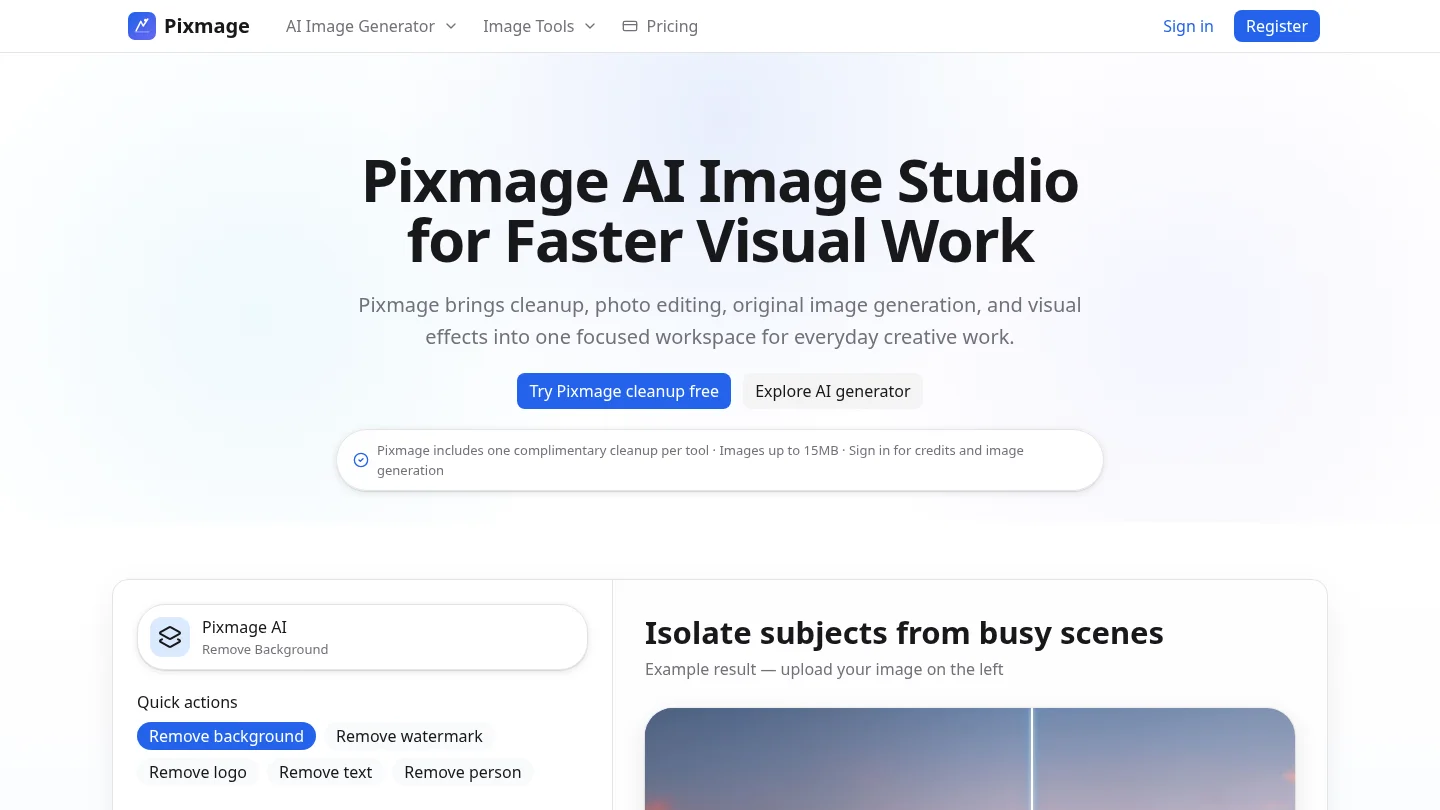
Our image studio focuses on cleanup, photo editing, original image generation, curated effects, and compositions built from multiple references. With multi-image AI fusion, you can combine ordered visual references for products, people, props, colors, and environments. This is useful when the creative goal is a controlled still image rather than a moving shot.
The practical distinction is simple. Choose a video-first tool when you need motion, temporal continuity, tracking, or a sequence of frames. Choose an image-first workflow when you need to remove distractions, change a scene, generate a visual concept, or transform a still while preserving important subject details.
Final advice for choosing AI visual effects software
The best tool depends on the relationship between speed and control. Runway and invideo are strong choices for generating or directing new VFX shots, Adobe After Effects remains the better fit for detailed professional compositing, and Luma AI, Higgsfield, and VibeEffect make rapid creator effects more accessible. Begin with one representative shot, then compare consistency, export quality, iteration speed, plan limits, and commercial-use terms. If the project is image-first, use an image editing and generation workflow instead of forcing a video pipeline to solve a still-image problem.
Take action with Pixmage
Many visual effects projects begin with a still image, product photo, portrait, or reference board. When your goal is to clean up that source, create a new concept, or explore an image-based effect before producing video, a focused image workflow can save time and preserve more creative control.
Our AI image generator supports text-to-image creation, photo editing, curated effects, and multi-image fusion in one workspace. You can customize prompts, choose supported models and output settings, review applicable cost information, then download the result or continue editing it. Start with the AI image generator when your next visual begins with an image.
Frequently Asked Questions
What are AI visual effects?
AI visual effects are generated or assisted effects created with artificial intelligence. They can include scene extensions, object removal, weather, particles, transformations, tracking overlays, and complete effects shots generated from footage, prompts, or references.
Which tool is best for professional VFX?
Adobe After Effects is the strongest option when you need detailed compositing, masking, tracking, 3D elements, and frame-level control. Runway or invideo may be more efficient when the main task is generating new shots or exploring effects quickly.
Can AI VFX replace traditional compositing?
AI can reduce repetitive work and accelerate experimentation, but it does not remove the need for human review. Complex continuity, precise timing, likeness protection, color matching, and final quality control still benefit from experienced artists and conventional compositing tools.
Can you use existing footage with AI VFX tools?
Yes, many tools support uploaded footage, still frames, reference images, or project materials. Results depend on camera movement, subject visibility, lighting, masking requirements, and the platform’s ability to preserve consistency across frames.
How should you compare pricing and commercial use?
Compare the full cost of usable output, not only the advertised monthly fee. Review credits, model access, export resolution, duration limits, watermarks, storage, plan restrictions, and the terms governing commercial use before approving a production workflow.